导图社区 MySQL
这是一篇关于MySQL的思维导图,详细的总结了登录、数据库操作、表格操作、条件查询等操作步骤,以及数据类型、约束、修改等内容知识。
从计算机发展史开始说起,囊括了基础语法(数据类型、类型转换、变量和常量及运算符),流程控制(顺序结构、选择结构、循环结构),数组,方法,面向对象(定义、三特性封装、继承、多态),接口及异常等所有的知识点汇总,可以对Java基础体系有一个系统完整的认知。
社区模板帮助中心,点此进入>>
安全教育的重要性
个人日常活动安排思维导图
西游记主要人物性格分析
17种头脑风暴法
如何令自己更快乐
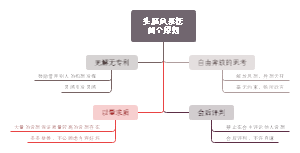
头脑风暴法四个原则
思维导图
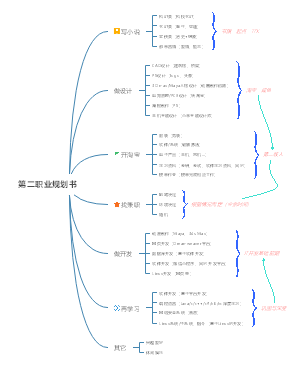
第二职业规划书
记一篇有颜又有料的笔记-by babe
伯赞学习技巧
MySQL
登录
mysql -uroot -pmysql;
数据库操作
查
show databases;
增
create database spider11 charset=utf8;
删
drop database spider11;
切换数据库
use spider11;
查看当前数据库
select database();
目前搞不懂有什么用
表格操作
展示当前数据库内的表
show tables;
查看表结构
desc student;
查看表的创建语句
show create table student;
create table student ( id int , name varchar(5), isldelete bit default 0 ) default charset=utf8;
注:字段间用逗号隔开,最后一个字段不需要逗号
改
rename table student to stu;
drop table student;
删除整个表格
数据操作
查看表内的数据
select * from student;
逻辑删除
select * from student where isdelete=1;
只显示选定的内容,其实数据还在,只是用户看不到了
insert into student values (1 , '长清' ) , ( 2 , '九歌' ) , ( 3 , '思思' ) ;
insert into student( name ) values ('乔木')
只插入name,id位置上显示为默认值
update student set name='乔木' where id=1;
update student set name='雪瑞' where name='长清';
update student set name='娜娜';
name下的全部数据都变成了娜娜
delete from student where id=1;
delete from student;
清空student表内的所有数据
条件查询
from,where···,group by···,distinct···,having···,order by···,limit star,count
比较
=,!=,>,>=,<,<=
select * from student where id > 2;
select * from student where snmae != '九歌';
逻辑
and,or,not
select * from student where id=1 or id =3;
select * from student where sname is not NULL;
模糊
like,_,%
select * from student where sname like '九_';
一个下划线代表一个确定的字符,可以有多个下划线
select * from student where sname like '%九%';
%加在前面,表示前面有任意个字符
%加在后面,表示后面有任意个字符
范围
in(a,b,c···),between a and b
select * from stu where id in (1,2,5);
id=1,id=2,id=5的信息
select * from stu where id between 3 and 8;
包括id=3和8的范围内的所有值
聚合
count(*),max/min/avg/sum(id)
select count(sname) from student;
count后的括号内可以是其他字段名
select avg(id) from student;
分组
gruop_concat( * );
select group_concat(sname) from student;
列出字段sname的全部值,*可以是任意字段名,配合分组使用
group by···
select gender,group_concat(sname) from student group by gender;
select后面必须是分组的字段名
having
select gender,group_concat(sname) as a from student group by gender having a = '九歌,中长线';
having是对分组查询后的再条件筛选
as a :用 a 代表group_concat(sname);
分页
limit start , count
select * from student where id limit 3,2;
id=3之后的两个值
去重
distinct *
select distinct gender from student;
对字段名gender去重
排序
order by id / order by id desc
select * from student order by id;
升序排列
select * from student order by id desc;
降序排列
子查询
(select avg(id) from student)
select * from student where id > (select avg(id) from student);
连接查询
join:内连接
select * from student join tab1;
多对多,student 和 tab1两个表全部连接显示
on
select * from student join tab1 on student.id = tab1.id;
left/right join:外连接
select * from student left join tab1 on student.sname=tab1.name;
select * from student left join tab1 on student.sname=tab1.name left join stu on student.sname=stu.name;
说明
数据库名: spider11
表名: student
任意字段名: *
与python连接
安装pymysql模块
pip install pymysql
pycharm中的设置
导入模块
import pymysql
设置参数,建立连接
conn = pymysql.connect(host='127.0.0.1' , port = 3306 , user = 'root' , password="mysql", charset='utf8', database='spider11')
建立游标对象
cur = conn.cursor()
使用游标对象内的方法
cur.execute(' select * from student') for i in cur.fetchall( ): print( i )
··········
提交事务
conn.commit()
关闭游标对象和连接
cur.close() conn.close()
事务
原子性
最小的工作单位,要么都执行,要么都不执行
一致性
开启事务之前和事务结束之后,数据库的完整性都不会被破坏
隔离性
开启一个事务,在提交事务之前,其他事务不可见
持久性
当我的事务提交后,永久保存
begin
开启事务
commit
rollback
回滚到开启事务之前
注:
在表的结构中有Engine = innoDB,才会支持事务
关系
外键关联
自己这张表的主键或非主键连接到另一张表的主键
父表
create table student ( id int primary key, name varchar(20) ) ;
一对一
create table tel ( t_id int primary key , number int , foreign key(t_id) references student(id) );
一对多
create table tel2 ( id int primary key, number int, d_id int, foreign key(d_id) references student(id) ) ;
多对多
create table sel( s_id int , c_id int, primary key (s_id , c_id), foreign key(s_id) references student(id), foreign key(c_id) references course(c_id) );
create table course( o_id int primary key, name varchar(20) );
展示
select * from student left join sel on student.id=sel.s_id left join course on sel.c_id=course.o_id ;
修改
表名
rename to
alter table student rename to new_stu;
字段
change
alter table new_stu change id new_id tinyint primary;
drop
alter table new_stu drop sex;
add
alter table new_stu add evaluate enum('优','良','较差');
字段类型
modify
alter table new_stu modify new_id int;
约束
默认
default
不能有默认值
not NULL
唯一标识
unique key
主键
primary
唯一且非空
自增加
auto_increment
数据类型
数值类型
tinyint
1B
smallint
2B
mediumint
3B
int
4B
bigint
8B
在utf-8中,一个字符占三个字节
字符类型
char(size)
255个字符
固定长度
varchar(size)
可变长度
tinytext / tinyblog
text / blog
65525个字符
longtext / longblog
4294967295个字符
enum
枚举,包含多个固定值的列表,只能选择这些值,包括NULL
时间日期
date
2021-07-27
time
11:32:49
datetime
2021-07-27 11:32:49
timestamp
自动存储记录修改的时间
year
2021