导图社区 Y-云管理园区网排错
- 3
- 0
- 0
- 举报
Y-云管理园区网排错
这是一篇关于Y-云管理园区网排错的思维导图,梳理了传统园区网排错过程中涉及的多个关键方面,包括有线测试排错、无线测试排错以及阶段性排错等内容,是一份极具实用价值的课程设计参考资料。在有线测试排错部分,详细列举了身份验证失败、未知网络等多种故障场景下的排查步骤与解决方法,如检查PC配置、检查交换机配置等。无线测试排错方面,针对无法连接、无法获取IP地址等问题,提供了从AP上线到具体测试命令的一系列排查指引。阶段性排错则涵盖了堆叠、链路聚合、直连接口等多个技术点可能出现的问题及解决思路,如堆叠接口不正确、Eth - trunk接口down等情况的处理方式。对于网络工程专业的师生,这是课程设计中深入理解传统园区网故障排查的优质模板,能够帮助教师更好地组织教学内容,辅助学生系统地学习排错知识与技能。对于网络运维人员,在日常工作中遇到园区网故障时,可参考此模板快速定位和解决问题,提高工作效率。对于准备网络相关认证考试的人员,此模板可作为复习资料,帮助他们梳理知识点,提升应试能力。借助万兴脑图软件绘制此思维导图模板,助力网络工程专业师生、运维人员以及认证考试备考者在传统园区网排错的学习与工作中,更加高效地掌握知识、解决实际问题。
编辑于2026-04-21 22:33:20- 课程设计
- 网络工程
- 传统园区网排错
- 网络运维故障排查
- 网络技术教育与实践

- 相似推荐
- 大纲
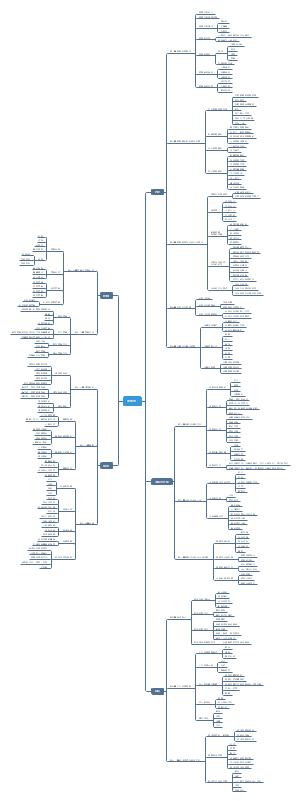
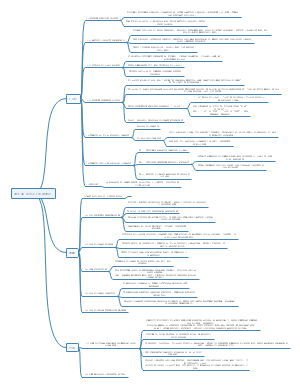

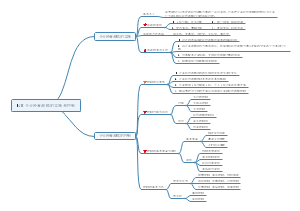
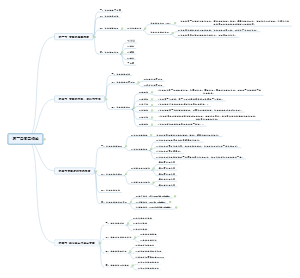
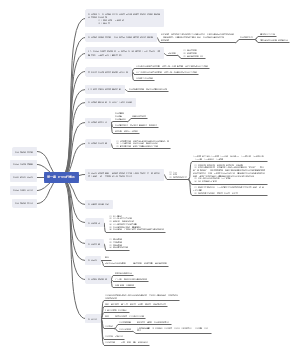
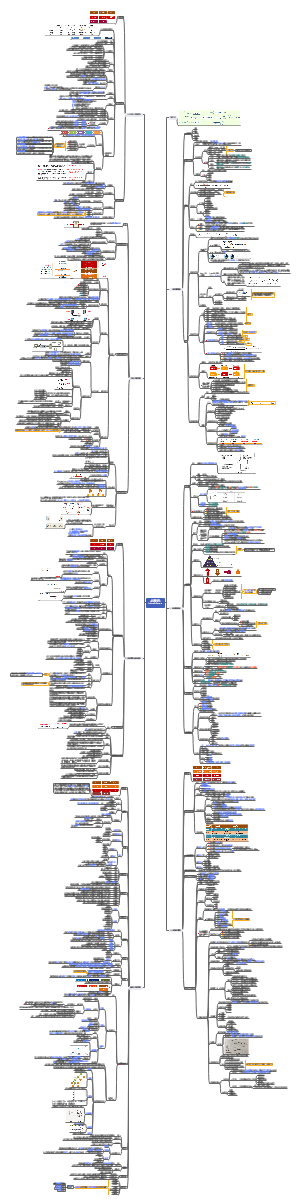
HCIE-Datacom-Lab 排错
X-传统园区网
阶段性排错
堆叠
链路聚合
直连接口
ospf邻居
路由表
AP
无线测试排错
无法连接
无法获取IP地址
成功连接到X_Guest_***
成功连接到X_Employee_***
有线测试排错
身份验证失败
未知的网络
ping测试失败
Y-云管理园区网
阶段性验证排错
设备上线
VxLAN
SD-WAN
无线测试排错
无法连接
无法获取IP
无法跳转认证页面
认证失败
ping测试失败
有线测试排错
身份验证失败
未知的网络
ping测试失败
X-传统园区网 排错
无线测试排错
无法连接
搜不到wifi信号
AP未上线
射频不兼容
增加2.4G射频
ap-group name X radio 0 vap-profile X_Employee_*** wlan 1 vap-profile X_Guest_*** wlan 2
密码错误
确认wlan的密码配置
security-profile name X_Guest_010 security wpa-wpa2 psk pass-phrase ******** aes security-profile name X_Employee_010 security wpa-wpa2 psk pass-phrase ******** aes
确认在PC上输入的密码
使用txt输入正确密码,然后复制
上一位学员保存的wifi密码不同
删除windows的wifi记录
无法获取IP地址
vlan
CORE和AC没有创建业务vlan
vlan batch 51 to 55 101 to 105
AC vlan pool 配错
创建vlan pool
vlan pool Employee vlan 51 to 55
vlan pool Guest vlan 101 to 105
wlan调用
vap-profile name X_Employee_*** service-vlan vlan-pool Employee
vap-profile name X_Guest_*** service-vlan vlan-pool Guest
trunk
CORE和AC的互联接口没有允许vlan
port trunk allow-pass vlan 51 to 55 101 to 105
CORE的dhcp服务
ip pool 没有加入实例
ip pool *** vpn-instance Employee
ip pool *** vpn-instance Guest
vlanif没有加入实例
int vlanif *** ip binding vpn-instance Employee
int vlanif *** ip binding vpn-instance Guest
dhcp配置
全局使能
dhcp enable
接口使能全局地址池
int vlanif*** dhcp select global
检查AC wlan隧道转发
vap-profile name X_*** forward-mode tunnel
成功连接到X_Guest_***
telnet测试失败
测试命令错误
telnet 10.1.60.99 3389
检查路由 dis ip routing-table 10.1.60.99
CORE的Guest实例
没有默认路由
FW的Guest实例
没有静态路由
ip route-static vpn-instance Guest 10.1.60.99 32 vpn-instance Employee
virtual-if 没加入安全域 (vlanif也有可能没加)
vsys Guest
firewall zone untrust add interface Virtual-if*
CORE的Employee实例
没有路由
vlanif60 down
不是直连路由
vlanif60 没有划入Employee实例
interface Vlanif60 ip binding vpn-instance Employee
没有在ospf中宣告
ospf 1 vpn-instance Employee area 0.0.0.1 network 10.1.0.0 0.0.255.255
FW的Employee实例
没有路由
检查ospf邻居
CORE没有宣告接口
virtual-if 没加入安全域
vsys Employee
firewall zone untrust add interface Virtual-if*
检查FW策略
vsys Employee
自定义服务错误
ip service-set Guest_Service type object service protocol tcp destination-port 3389
策略错误
security-policy rule name Guest_to_Server99 source-zone untrust destination-zone trust source-address range 10.1.101.0 10.1.105.255 destination-address 10.1.60.99 mask 255.255.255.255 service Guest_Service action permit
ping测试失败
误区
ping 10.255.1.254 不通 错误的认为只是Export1的问题
CORE的默认路由是负载均衡 必须同时检查Export1和2
长ping测试 ping 10.255.[1-4].254 -t
查看vsys Guest会话表 dis firewall session all
有会话
检查Export1&2
NAT
acl配置
acl number 2000 rule 5 permit
nat地址组配置
nat address-group 0 10.255.4.2 10.255.4.100
接口调用配置
interface GigabitEthernet0/0/9 nat outbound 2000
interface GigabitEthernet0/0/10 nat outbound 2000 address-group 0
没有回程路由
无会话
检查默认路由
检查AC wlan隧道转发
vap-profile name X_*** forward-mode tunnel
检查FW配置
vsys Guest
检查策略
security-policy rule name to_Internet source-zone trust destination-zone untrust source-address range 10.1.101.0 10.1.105.255 action permit
接口没有加入安全域
检查CORE的PBR
没有配置Employee实例
interface GigabitEthernet0/0/3 traffic-redirect inbound acl 3000 vpn-instance Employee ip-nexthop 10.1.200.22
成功连接到X_Employee_***
ping测试失败
长ping测试 ping 10.255.[1-4].254 -t
查看vsys Employee会话表 dis firewall session all
排查方法与Guest类似
ping 10.1.60.100 该通的没通
检查vsys Employee策略
rule name Employee_to_Server100 source-zone trust destination-zone trust source-address range 10.1.51.0 10.1.55.255 destination-address 10.1.60.100 mask 255.255.255.255 action permit
ping 10.1.60.99 不该通的通了
检查CORE的PBR
检查ACL
acl number 3000 rule 5 permit ip source 10.1.51.0 0.0.0.255 destination 10.1.60.0 0.0.0.255 rule 10 permit ip source 10.1.52.0 0.0.0.255 destination 10.1.60.0 0.0.0.255 rule 15 permit ip source 10.1.53.0 0.0.0.255 destination 10.1.60.0 0.0.0.255 rule 20 permit ip source 10.1.54.0 0.0.0.255 destination 10.1.60.0 0.0.0.255 rule 25 permit ip source 10.1.55.0 0.0.0.255 destination 10.1.60.0 0.0.0.255
检查接口调用
interface GigabitEthernet0/0/3 traffic-redirect inbound acl 3000 vpn-instance Employee ip-nexthop 10.1.200.22
检查vsys Employee策略
rule name Employee_to_Server source-zone trust destination-zone trust source-address range 10.1.51.0 10.1.55.255 destination-address 10.1.60.0 mask 255.255.255.0 action deny
有线测试排错
身份验证失败
检查PC配置
不要使用后台管理网卡
该网卡配置静态IP
一般未勾选802.1X (有可能被其他学员错误的勾选)
名称可能是
Ethernet0
guanli(管理)
houtai(后台)
wudong(勿动)
使用另外一个网卡测试
确认输入正确账号密码
使用txt复制密码 Huawei@123
terminal01 (PC1) 认证market和procure
terminal02 (PC2) 认证hr和finance
在AGG1上测试 (AGG2换hr和finance测试) test-aaa market Huawei@123 radius-template Employee
测试成功 Info: Account test succeeded
检查ACC配置
自定义802.1x组播地址
l2protocol-tunnel user-defined-protocol 802.1x protocol-mac 0180-c200-0003 group-mac 0100-0000-0002
G0/0/1-20口配置
port-group group-member G0/0/1 to G0/0/20 l2protocol-tunnel user-defined-protocol 802.1x enable
检查AGG配置
AAA配置
认证
authentication-scheme Employee authentication-mode radius
计费
accounting-scheme Employee accounting-mode radius
域
domain employee authentication-scheme Employee accounting-scheme Employee radius-server Employee
dot1x接入模板
dot1x-access-profile name Employee
mac接入模板
mac-access-profile name Employee
认证模板
authentication-profile name Employee dot1x-access-profile Employee mac-access-profile Employee access-domain employee
接口调用
在和ACC互联接口配置
interface Eth-Trunk*** port link-type hybrid authentication-profile Employee
测试超时 Info: Account test time out
检查AGG配置
radius模板 key配置 服务器IP
radius-server template Employee radius-server shared-key cipher Huawei@123 radius-server authentication 10.1.60.2 1812 radius-server accounting 10.1.60.2 1813
接口调用
不要在和CORE互联接口(Eth-trunk1)调用认证模板
ping 10.1.60.2 不通
检查AGG到服务器的路由
认证成功和失败来回切换
radius模板 服务器IP/port配错
radius-server template Employee radius-server shared-key cipher Huawei@123 radius-server authentication 10.1.60.2 1812 radius-server accounting 10.1.60.2 1813
未知的网络
检查PC配置
其他学员测试时,配置了静态IP
在TCP/IPv4中改为自动获取
检查所有交换机配置
没有创建vlan
vlan batch 11 to 15 21 to 25 31 to 35 41 to 45
trunk没有允许vlan通过
port trunk allow-pass vlan 11 to 15 21 to 25 31 to 35 41 to 45
检查AGG配置
vlan pool配错
AGG1
vlan pool market vlan 11 to 15
vlan pool procure vlan 21 to 25
AGG2
vlan pool finance vlan 31 to 35
vlan pool hr vlan 41 to 45
检查dhcp配置
全局使能
dhcp enable
dhcp中继
AGG1
interface Vlanif*** dhcp select relay dhcp relay server-ip 10.1.200.29
AGG2
interface Vlanif*** dhcp select relay dhcp relay server-ip 10.1.200.33
检查CORE配置
dhcp配置
全局使能
dhcp enable
地址池加入实例
ip pool vlan*** vpn-instance Employee
下联AGG接口加入实例
interface Vlanif208 ip binding vpn-instance Employee
interface Vlanif209 ip binding vpn-instance Employee
ping测试失败
Terminal01 (PC1) ping 10.255.[1-4].254 该通的不通
长ping测试 ping 10.255.[1-4].254 -t
查看vsys Employee会话表 dis firewall session all
有会话
检查Export1&2
NAT
acl配置
acl number 2000 rule 5 permit
nat地址组配置
nat address-group 0 10.255.4.2 10.255.4.100
接口调用配置
interface GigabitEthernet0/0/9 nat outbound 2000
interface GigabitEthernet0/0/10 nat outbound 2000 address-group 0
没有回程路由
无会话
检查默认路由
检查FW配置
vsys Employee
检查策略
security-policy rule name to_Internet source-zone trust destination-zone untrust source-address range 10.1.11.0 10.1.15.255 source-address range 10.1.21.0 10.1.25.255 source-address range 10.1.51.0 10.1.55.255 action permit
接口没有加入安全域
Terminal02 (PC2) ping 10.255.[1-4].254 -t 不该通的通了
检查vsys Employee策略
确认没有允许31 to 35 41 to 45
security-policy rule name to_Internet source-zone trust destination-zone untrust source-address range 10.1.11.0 10.1.15.255 source-address range 10.1.21.0 10.1.25.255 source-address range 10.1.51.0 10.1.55.255 action permit
长ping测试 ping 10.255.[1-4].254 -t
vsys Employee dis firewall session all verbose
确认具体命中哪条策略被 permit
修改该策略
ping 测试时通时不通
radius模板 服务器IP/port配错
radius-server template Employee radius-server shared-key cipher Huawei@123 radius-server authentication 10.1.60.2 1812 radius-server accounting 10.1.60.2 1813
阶段性排错
堆叠
堆叠接口不正确
堆叠后设备slot变化
int stack-port 1/2 port interface XG 1/0/1 enable
主设备不是高优先级slot
主备倒换 slave switchover
链路聚合
dis eth-trunk 接口Unselected
绑错接口
dis lldp nei 确认接口编号
忘配工作模式
mode lacp
直连接口
Eth-trunk接口down
dis eth-trunk
无法配置port link-type hybrid
预配port link-type trunk
undo port link-type
vlanif接口down
没有创建vlan
vlan batch ***
没有任何活跃接口属于该vlan
port trunk allow-pass vlan *** port default vlan ***
FW无法配置virtual-if接口
确认virtual-if接口编号 dis ip int brief
vsys创建时如果没有手动编号,会按照创建顺序自动编号。
CORE与Export不通
STP阻塞端口
CORE配置为根桥 stp priority 0
CORE与FW不通
FW策略默认拒绝
FW接口 service-manage ping permit
FW接口没有加入安全域
firewall zone trust add interface Vlanif***
firewall zone untrust add interface Vlanif***
vlan 1 环路
CORE和FW互联接口 undo port trunk allow-pass vlan 1
ospf邻居
没有邻居
直连不通
宣告接口配错
network 10.1.0.0 0.0.255.255
区域不同
Area ****
静默接口配错
undo silent-interface vlanif***
其他ospf邻居条件错误
dis ospf error
邻居不是FULL状态
ensp出现bug
重启设备
CORE和FW邻居 init
vlan 1 环路
FW策略没有允许ospf
路由表
全局路由表
X_Export没有Employee和Guest路由
ospf邻居错误
CORE的区域过滤策略错误
ospf 10 area 0.0.0.1 filter ip-prefix Guest import area 0.0.0.2 filter ip-prefix Employee import
WAN需求中的过滤策略配置错误
CORE没有默认路由
Export配置错误
Export静态默认路由配错
ip route-static 0.0.0.0 0.0.0.0 10.255.*.254
Export没有下发默认路由
ospf 1 default-route-advertise always
AGG缺少路由
ospf邻居错误
CORE策略错误
CORE的vlanif60没有加入实例
ip binding vpn-instance Employee
Employee Guest 实例路由表
没有默认路由
ospf邻居错误
Export配置错误
CORE和FW没有配置取消防环
ospf * vpn-instance Employee/Guest vpn-instance-capability simple
没有任何其他区域路由
ospf邻居错误
CORE策略错误
ip-prefix配错
仅配置deny,没有配置permit语句
ip ip-prefix Employee permit 0.0.0.0 0 le 32
ip ip-prefix Guest permit 0.0.0.0 0 le 32
出现其他区域业务网段
CORE的区域过滤策略错误
ip-prefix配错
全部写成了permit
ip ip-prefix Employee deny 10.1.***.0 24 ip ip-prefix Employee permit 0.0.0.0 0 le 32
ip ip-prefix Guest deny 10.1. ***.0 24 ip ip-prefix Guest permit 0.0.0.0 0 le 32
AP
无法上线
在ACC上创建vlanif100测试
int vlanif100 ip add dhcp-alloc
无法获取IP
没有创建vlan100
AC CORE AGG ACC
vlan 100
没有允许vlan100
所有trunk
port trunk allow-pass vlan 100
所有hybrid
port hybrid tagged vlan 100
ACC连接AP的access接口
port default vlan 100
WLAN配错
AP未加组
ap-id 1 ap-mac *** ap-group X
mac配错
ACC上确认AP的mac
dis mac-address
上线后掉线
免认证配错
未配置
domain ap_noauthen mac-authen force ***
mac配错
未调用
aaa authentication-scheme noauthen authentication-mode none domain ap_noauthen authentication-scheme noauthen
跳转其他园区
Y-云管理园区网 排错
无线测试排错
无法连接
搜不到wifi信号
AP没上线
Y_Core1设备web网管
配置
AP组配置
若新建了AP组,确认AP已移动到正确的组
VAP配置
SSID模板
确认SSID正确
密码错误
Y_Core1确认wifi密码
设备web网管
配置
AP组配置
安全模板
安全策略WPA-WPA2
密钥 ******
确认在PC上输入的密码
使用txt输入正确密码,然后复制
上一位学员保存的wifi密码不同
删除windows的wifi记录
网卡故障
禁用重启无线网卡
无法获取IP
没有配置vlan pool
Y_Core1设备web网管
配置
AP组配置
VAP配置
Wireless_***
业务vlan
vlan pool
Empoloyee
Guest
DHCP服务配错
VN没有配置网络服务资源
DHCP
VN配置错误地址池
无法跳转认证页面
ping 控制器测试
不通
没有获取正确IP地址
路由错误
VN外部网络配错
LAN-WAN互联配错
站点上网配错
通
网页报错404
控制器认证模板和 AP组的SSID模板的SSID不一致
认证失败
准入策略配错
浏览器未重新跳转
注意地址栏的IP地址 如果不是对应VN的地址 打开新网页重新认证
认证模板错误
仔细核对认证模板的ID 在Y_Core1的web网管页面正确调用
ping测试失败
未认证
打开新网页输入任意IP如1.1.1.1,跳转认证页面
策略矩阵配错
VAP未配置隧道转发
ping不通门店地址
export之间没有bgp
Site_Store1
dis ip int b
vlanif down
有线测试排错
身份验证失败
账户密码错误
PC使用txt复制密码
控制器
vxlan
业务部署
用户管理
确认用户组、账号、密码
接入管理
接口选错
VN有线接入
动态认证配错
Fabric问题
准入策略错误
未知的网络
获取 10.2.1.0/24的IP
Fabric问题
接入管理
接口选错
VN有线接入
动态认证配错
无法获取IP 169.254.0.0/16
DHCP服务配错
VN没有配置网络服务资源
VN配置错误地址池
ping测试失败
策略矩阵配错
Fabric问题
站点上网
vn Y_OA_to_Sites
集中网关
网关名称 Site_Y
本地上网
Site_Y
underlay_1
使能
开启nat
underlay_2
使能
开启nat
vn Y_RD_to_Sites
不配置站点上网
vn Guest_to_Internet
本地上网
Site_Y Site_Store1
underlay_1
使能
开启nat
underlay_2
使能
开启nat
ping不通门店地址
export之间没有bgp
Site_Store1
dis ip int b
vlanif down
阶段性验证排错
设备上线
无法导入设备表格
确认站点名称 注意大小写
Site_Y
设备类型
AR
LSW
WAC
不要选择AP
Site_Store1
设备类型
AR
LSW
选择了老版本的excel表
找到最新版的excel
Y_Export1&2
查看上线状态 dis agile-controller status
上线失败
控制器IP/port错误
思博环境为 172.16.2.12 10020
agile controller host 172.16.2.12 port 10020
考场环境请阅读需求文档
练习环境没有重置设备
接口有实例
ping -vpn-instance underlay_1 172.16.2.12
重置设备
factory-configuration reset
reboot fast
上线后又离线
正常情况
ping -vpn-instance underlay_1 172.16.2.12
可以通就等一会儿
长时间离线
ZTP配置出错
配置ZTP前确认设备初配
dis ip int b
复制两个出接口IP/MASK
dis cu | in static
复制默认路由
控制器已下发错误配置
手动解决
删除错误配置
int g0/0/* undo ip binding vpn-instance *** # undo ip route-static 0.0.0.0 0
还原初配
重置解决
factory-configuration reset
reboot fast
wan路由问题
没有配置wan路由
Underlay配置
WAN路由
添加IPv4 Static
0.0.0.0/0
wan路由错误
控制器配置正确wan路由
设备删除错误配置,控制器重下发 undo ip route-static vpn-instance underlay_1 0.0.0.0 0 undo ip route-static vpn-instance underlay_2 0.0.0.0 0
重置解决
factory-configuration reset
reboot fast
配置下发失败
设备上线前不能开启LLDP
undo lldp enable
上线后会自动开启
wan路由问题
设备没重置,配置冲突
重置设备
factory-configuration reset
reboot fast
Y_Core1
上线失败
测试是否能与控制器通信 ping 172.16.2.12
不通
Y_export1
LAN-WAN互联
确认下行接口编号
dis lldp nei
确认使能DHCP
DHCP 148 option
站点上网未配置
vn management
使能第一个接口
打开NAT
不要使能第二个接口
管理vlan错配为3996
站点配置
管理vlan
Y_Core1修改管理vlan
Fabric的DHCP服务器接口错配为G0/0/24
修改为G0/0/23
Y_Core1
手动解决
int g0/0/24 port trunk pvid vlan 1
等待配置重下发
重置解决
reset factory-configuration
通
Y_export1 DHCP 148 option
确认控制器ip
Y_Core1 手动上线
netconf management-vlan 1
重置解决
reset factory-configuration
下发配置冲突
重置设备
reset factory-configuration
Y_AGG1&2 Y_ACC1&2上线失败
查看IP地址 dis ip int b
vlanif1
10.2.1.*/24
站点配置错误
管理vlan
Y_Core1修改管理vlan
交换机
子网
创建 Y_Core1
vlan 3996
IP 10.2.0.1/24
使能DHCP
WAC 10.2.0.1
没有IP
自动上线中断
手动上线
netconf management-vlan 1
重置解决
reset factory-configuration
vlanif3996 10.2.0.*/24
测试是否能与控制器通信 ping 172.16.2.12
不通
Management站点上网 错误使能了第二个接口
修改站点上网
使能第一个接口
打开NAT
不要使能第二个接口
Y_export1回程路由
没有路由
下一跳配错
Y_Core1 查看vlanif1地址
dis ip int b
通
手动上线
netconf management-vlan 1
重置解决
reset factory-configuration
vlanif1和3996来回切换
vlanif3996不能和控制器通信
AP不上线
AGG和ACC都没有上线
Y_Core1没有配置capwap
设备web网管
配置
AC配置
AC源地址
vlanif3996
vlanif3996 down
站点配置错误
应用
用户名admin
密码Huawei@123
离线VAP密钥Huawei@123
VxLAN
创建Fabric
Y_Core1状态检查
dis ospf peer b
缺少邻居
Fabric
没有配置自动路由域
配置没有下发
配置下发冲突
AGG没有重置
注意AGG重置前需要配置作为wac的user和4次key
重置解决
reset factory-configuration
dis bgp evpn peer
缺少邻居
环回口不通
dis ospf peer b
Y_Core1角色错误
边界网关节点
Y_Core1没有开启路由反射器
dis vxlan tunnel
没有隧道
dis bgp evpn peer
配置下发报错
设备角色错误
需要配置策略联动vlan124
AGG边缘节点
ACC扩展节点
不需要配置策略联动
AGG透传节点
ACC边缘节点
as-mode错误
边缘节点
as-mode disable
扩展节点
undo as-mode disable
透传节点
无要求
网络服务资源
DHCP 10.2.200.14
直连交换机(思博环境选直连服务器)
外部网络
OA
RD
和OA配置类似,对照需求文档确认各项参数
Guest
接入管理
认证执行点
ACC选错接口
确认选择了20个接口,并继承认证。
VN配置
用户vlan地址池 错配10.1的X园区地址
确认配置为10.2的Y园区地址
有线接入
没有配置动态vlan
ACC接口缺少认证
补选认证后记得重新配置动态vlan
无线接入
OA和Guest 添加Y_Core1
VN互通
忘记配置
业务部署
安全组配错
例:10.2.31.0/24
必须带掩码
策略矩阵配错
注意安全组的顺序
准入策略配错
认证规则
接入方式
用户组
站点
SSID
不要多出空格
授权结果
安全组
vlan
授权规则
认证方式
接入方式
有线无线不要配错
用户组
站点
授权结果
如果授权后没有分配正确的IP,可以更换授权
例如给RD授权marketing,测试是否能分配IP
尝试重新配置授权规则和授权结果
有可能授权没有下发
在任务中心,给Y_Core1重新下发配置
SSID
不要多出空格
WAC无线配置
站点配置
交换机
认证
无线认证
创建认证模板
SSID易错,注意复制
复制认证模板ID
Y_Core1设备web网管
配置
AC配置
AC源地址
vlanif3996
down
站点配置错误
应用
用户名+密码
AP组配置
default
如果新建AP组
AP移动到新AP组
VAP配置
新建
Wireless_Employee_*** Wireless_Guest_***
vlan pool
没有pool
VN没有配置无线接入
转发模式
隧道转发
SSID模板
SSID名称易错
注意复制时不要多空格,仔细观察
安全模板
WAP-WAP2
使用考场要求的密码
认证模板
复制无线认证模板的名字
注意不要把两个SSID的名字搞反
SD-WAN
虚拟网络配置
LAN-WAN互联
无法创建接口
1.左上角三横杠 2.网络配置 3.SD-WAN物理网络 4.物理接口
删除错误的接口
重新创建接口
路由错误
vn Y_OA_to_Sites
接口IP/MASK错误
10.2.200.2/30
OSPF错误
进程2
区域0
vn Y_RD_to_Sites
接口IP/MASK错误
10.2.200.6/30
OSPF错误
进程3
区域0
vn Guest_to_Internet
回程静态路由
10.2.0.0/16 via 10.2.200.9
流量策略
站点上网
vn Y_OA_to_Sites
集中网关
网关名称 Site_Y
本地上网
Site_Y
underlay_1
使能
开启nat
underlay_2
使能
开启nat
vn Y_RD_to_Sites
不配置站点上网
vn Guest_to_Internet
本地上网
Site_Y Site_Store1
underlay_1
使能
开启nat
underlay_2
使能
开启nat
Y_export1
dis bgp evpn peer
没有邻居
SD-WAN
基础网络
连接RR
Site_Store1
LAN-WAN互联
L2接口
vlan2
10.100.2.1/24
vlan3
10.100.3.1/24
vlan4
10.100.4.1/24
L2接口创建失败
跳转其他园区