导图社区 python
- 306
- 29
- 3
- 举报
python
Python编程:从入门到时间 2-7章节。Python为访问最后一个列表元素提供了一种特殊语法。通过将索引指定为-1 ,可让Python返回最后一个列表元素,以此类推-2为倒数第二。
提示: 本内容由社区用户上传并分享。平台不对内容的真实性、合法性、知识产权归属及是否侵害第三方权利进行事前审核或保证。本内容可能包含受版权保护的图片、字体或其他第三方素材,使用前请自行确认授权范围。
- 相似推荐
- 大纲



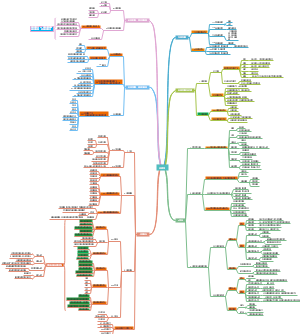
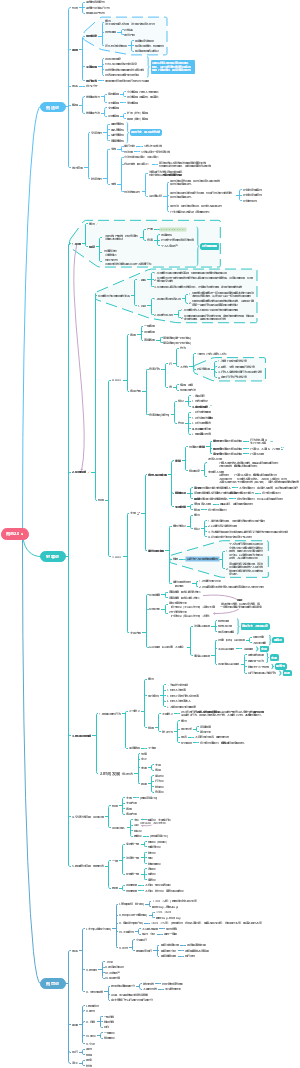
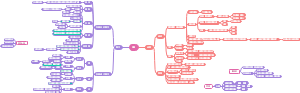

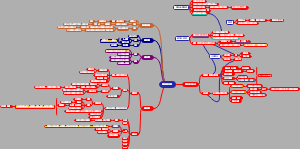
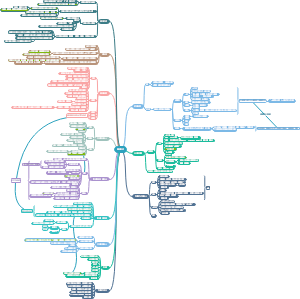
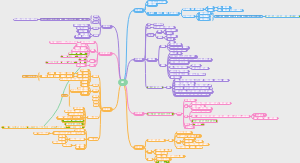
python从入门到实践
第二章节 变量和简单数据类型
2.1 运行hello_world.py时发生的情况
函数显示为蓝色,非代码显示为橙色
2.2 变量
每个变量都存储了一个值 ——与变量相关联的信息。
在程序中可随时修改变量的值,而Python将始终记录变量的最新值。
2.2.1 变量的命名和使用
让代码变得更容易阅读的方法
1、变量名只能包含字母、数字和下划线。变量名可以字母或下划线打头,但不能以数字打头。message_1,
2、变量名不能包含空格,但可使用下划线来分隔其中的单词。greeting_message
3、不要将Python关键字和函数名用作变量名。 print大咩
4、变量名应既简短又具有描述性。student_name比s_n好
5、慎用小写字母l和大写字母O,因为它们可能被人错看成数字1和0。
注意:就目前而言,应使用小写的Python变量名。在变量名中使用大写字母虽然不会导致错误,但避免使用大写字母是个不错的主意
2.2.2 使用变量时避免命名错误
解释器会有一个traceback的功能帮你找到错误的点
2.3 字符串
在Python中,用引号括起的都是字符串,其中的引号可以是单引号,也可以是双引号
2.3.1 使用方法修改字符串的大小写
name = "ada lovelace" print(name.title()) 首字母大写
name = "ada lovelace" print(name.upper())全部大写
name = "ada lovelace" print(name.lower())全部小写
在print() 语句中,方法title() 出现在这个变量的后面。方法 是Python可对数据执行的操作。
在name.title() 中,name 后面的句点(. )让Python对变量name 执行方法title() 指定的操作。
每个方法后面都跟着一对括号,这是因为方法通常需要额外的信息来完成其工作。这种信息是在括号内提供的。
函数title() 不需要额外的信息,因此它后面的括号是空的。
2.3.2 合并(拼接)字符串
Python使用加号(+ )来合并字符串。
3种表达方式
first_name = "ada" last_name = "lovelace" ❶ full_name = first_name + " " + last_name print(full_name)
first_name = "ada" last_name = "lovelace" full_name = first_name + " " + last_name ❶ print("Hello, " + full_name.title() + "!")
first_name = "ada" last_name = "lovelace" full_name = first_name + " " + last_name ❶ message = "Hello, " + full_name.title() + "!" ❷ print(message)
2.3.3 使用制表符或换行符来添加空白
空白 泛指任何非打印字符,如空格、制表符和换行符。你可使用空白来组织输出,以使其更易读。要在字符串中添加制表符,可使用字符组合\t(空格)
要在字符串中添加换行符,可使用字符组合\n (换行)
\n\t 可以换行空格一起用
2.3.4 删除空白
要确保字符串末尾没有空白,可使用方法rstrip()
❶ >>> favorite_language = 'python ' ❷ >>> favorite_language 'python ' ❸ >>> favorite_language.rstrip() 'python' ❹ >>> favorite_language 'python '
剔除字符串开头的空白
lstrip()
剔除字符串两端的空白
strip()
2.3.5 使用字符串时避免语法错误
message = 'One of Python's strengths is its diverse community.' print(message)
该问题为Python将第一个单引号和撇号之间的内容视为一个字符串
注意:编写程序时,编辑器的语法突出功能可帮助你快速找出某些语法错误。看到Python代码以普通句子的颜色显示,或者普通句子以Python代码的颜色显示时,就可 能意味着文件中存在引号不匹配的情况。
2.4 数字
2.4.1 整数
在Python中,可对整数执行加(+ )减(- )乘(* )除(/ )运算。
Python使用两个乘号表示乘方运算
Python还支持运算次序,因此你可在同一个表达式中使用多种运算。你还可以使用括号来修改运算次序【同数学公式】
注意:空格不影响Python计算表达式的方式,它们的存在旨在让你阅读代码时,能迅速确定先执行哪些运算。
2.4.2 浮点数
只要输入使用数字,Python会按照你的期望处理,但是结果包含的小数位数是不确定的,请参考后面处理小数位数的章节
2.4.3 使用函数str() 避免类型错误
age = 23 message = "Happy " + str(age) + "rd Birthday!" print(message)
让Python get到age中的23要用字符表达出来
2.5 注释
在Python中,注释用井号(# )标识。井号后面的内容都会被Python解释器忽略,
2.6 Python之禅
>>> import this The Zen of Python, by Tim Peters Beautiful is better than ugly. Explicit is better than implicit. Simple is better than complex. Complex is better than complicated. Flat is better than nested. Sparse is better than dense. Readability counts. Special cases aren't special enough to break the rules. Although practicality beats purity. Errors should never pass silently. Unless explicitly silenced. In the face of ambiguity, refuse the temptation to guess. There should be one-- and preferably only one --obvious way to do it. Although that way may not be obvious at first unless you're Dutch. Now is better than never. Although never is often better than *right* now. If the implementation is hard to explain, it's a bad idea. If the implementation is easy to explain, it may be a good idea. Namespaces are one honking great idea -- let's do more of those!
第三章 列表简介
3.1 列表是什么
列表 由一系列按特定顺序排列的元素组成
在Python中,用方括号([] )来表示列表,并用逗号来分隔其中的元素。
>>bicycles = ['trek', 'cannondale', 'redline', 'specialized'] print(bicycles) >>['trek', 'cannondale', 'redline', 'specialized'] Python将打印列表的内部表示,包括方括号:
3.1.1 访问列表元素
列表是有序集合,因此要访问列表的任何元素,只需将该元素的位置或索引告诉Python即可
要访问列表元素,可指出列表的名称,再指出元素的索引,并将其放在方括号内。
bicycles = ['trek', 'cannondale', 'redline', 'specialized'] ❶ print(bicycles[0])
bicycles = ['trek', 'cannondale', 'redline', 'specialized'] print(bicycles[0].title()) #结合第二章的知识
3.1.2 索引从0而不是1开始
Python为访问最后一个列表元素提供了一种特殊语法。通过将索引指定为-1 ,可让Python返回最后一个列表元素,以此类推-2为倒数第二
3.1.3 使用列表中的各个值
bicycles = ['trek', 'cannondale', 'redline', 'specialized'] ❶ message = "My first bicycle was a " + bicycles[0].title() + "." print(message)
Q:如果列表里面的是数字,在将其储存在变量里面的时候是否需要加上str这个功能?
A:根据测试结果需要加上否则报错为can only concatenate str (not "int") to str
A:此外title只能用于字符,不能用于数字
A: 列表不是字符,如果列表里面只有一个元素,则使用列表名称【序号】打印,否则使用str(列表)进行打印的话会打印处整个列表而不是答案
3.2 修改、添加和删除元素
3.2.1 修改列表元素
要修改列表元素,可指定列表名和要修改的元素的索引,再指定该元素的新值。
❶motorcycles = ['honda', 'yamaha', 'suzuki'] print(motorcycles) ❷ motorcycles[0] = 'ducati' print(motorcycles)
3.2.2 在列表中添加元素
1. 在列表末尾添加元素
motorcycles.append('ducati')
方法append() 将元素'ducati' 添加到了列表末尾,而不影响列表中的其他所有元素:
空列表也可使用append()
motorcycles = [] motorcycles.append('honda') motorcycles.append('yamaha') motorcycles.append('suzuki') print(motorcycles)
注意:这种创建列表的方式极其常见,因为经常要等程序运行后,你才知道用户要在程序中存储哪些数据。为控制用户,可首先创建一个空列表,用于存储用户将要输入的值,然后将用户提供的每个新值附加到列表中。
2. 在列表中插入元素
使用方法insert() 可在列表的任何位置添加新元素。为此,你需要指定新元素的索引和值。
motorcycles = ['honda', 'yamaha', 'suzuki'] ❶ motorcycles.insert(0, 'ducati') #在第一个的位置插入ducati print(motorcycles) #每个元素将向右移一个位置
3.2.3 从列表中删除元素
1. 使用del 语句删除元素
motorcycles = ['honda', 'yamaha', 'suzuki'] print(motorcycles) ❶ del motorcycles[0] #需给出具体删除元素的位置 print(motorcycles)
del motorcycles[0]无法储存在变量里面,del为函数
Q:方法和函数的区别?
A:点击网站查询解答:https://www.cnblogs.com/zed99/p/16128128.html
注意:使用del 语句将值从列表中删除后,你就无法再访问它了。
2. 使用方法pop() 删除元素
方法pop() 可删除列表末尾的元素,并让你能够接着使用它。
每当你使用pop() 时,被弹出的元素就不再在列表中了。
pop()可储存在变量里面方便后续的访问,pop()为方法
❶ motorcycles = ['honda', 'yamaha', 'suzuki'] print(motorcycles) ❷ popped_motorcycle = motorcycles.pop() ❸ print(motorcycles) ❹ print(popped_motorcycle)
['honda', 'yamaha', 'suzuki'] ['honda', 'yamaha'] suzuki
3. 弹出列表中任何位置处的元素
实际上,你可以使用pop() 来删除列表中任何位置的元素,只需在括号中指定要删除的元素的索引即可。
注意:如果你不确定该使用del 语句还是pop() 方法,下面是一个简单的判断标准:如果你要从列表中删除一个元素,且不再以任何方式使用它,就使用del 语句;如果你要在删除元素后还能继续使用它,就使用方法pop() 。
4. 根据值删除元素
如果你只知道要删除的元素的值,可使用方法remove() 。
使用remove() 从列表中删除元素时,也可接着使用它的值。
注意 方法remove() 只删除第一个指定的值。如果要删除的值可能在列表中出现多次,就需要使用循环来判断是否删除了所有这样的值。
在写练习题的时候,容易出现统一代码重复多次的问题,如何用循环去解决该问题?如使用pop()不断从末尾删除,则会一直书写 列表名称。pop()代码,重复,如何使用del()函数,在不清楚列表内元素的情况下一次性删除多个?
3.3 组织列表
3.3.1 使用方法sort() 对列表进行永久性排序
再也无法恢复到原来的排列顺序
可以对列表中的元素按照首字母进行排序,如
cars = ['bmw', 'audi', 'toyota', 'subaru'] ❶ cars.sort() print(cars)
['audi', 'bmw', 'subaru', 'toyota']
你还可以按与字母顺序相反的顺序排列列表元素,为此,只需向sort() 方法传递参数reverse=True 。
cars = ['bmw', 'audi', 'toyota', 'subaru'] cars.sort(reverse=True) print(cars)
['toyota', 'subaru', 'bmw', 'audi']
3.3.2 使用函数sorted() 对列表进行临时排序
要保留列表元素原来的排列顺序,同时以特定的顺序呈现它们,可使用函数sorted() 。函数sorted() 让你能够按特定顺序显示列表元素,同时不影响它们在列表中的原始排列顺序。
cars = ['bmw', 'audi', 'toyota', 'subaru'] ❶ print("Here is the original list:") print(cars) ❷ print("\nHere is the sorted list:") print(sorted(cars)) ❸ print("\nHere is the original list again:") print(cars)
Here is the original list: ['bmw', 'audi', 'toyota', 'subaru'] Here is the sorted list: ['audi', 'bmw', 'subaru', 'toyota'] ❹ Here is the original list again: ['bmw', 'audi', 'toyota', 'subaru']
注意总结和整理此本书中既是方法又是函数的表述
3.3.3 倒着打印列表
要反转列表元素的排列顺序,可使用方法reverse() 。假设汽车列表是按购买时间排列的,可轻松地按相反的顺序排列其中的汽车
3.3.4 确定列表的长度
使用函数len() 可快速获悉列表的长度。
3.4 使用列表时避免索引错误
注意 发生索引错误却找不到解决办法时,请尝试将列表或其长度打印出来。列表可能与你以为的截然不同,在程序对其进行了动态处理时尤其如此。通过查看列表 或其包含的元素数,可帮助你找出这种逻辑错误。
第四章 操作列表
4.1 遍历整个列表
for 循环 ❶ magicians = ['alice', 'david', 'carolina'] ❷ for magician in magicians: #从magicians中取出一个名字,将其储存在变量magician当中 ❸ print(magician) #打印变量magician
alice david carolina
alice david carolina
4.1.1 深入地研究循环
刚开始使用循环时请牢记,对列表中的每个元素,都将执行循环指定的步骤,而不管列表包含多少个元素。如果列表包含一百万个元素,Python就重复执行指定的步骤一百万次,且通常速度非常快。
注意:使用单数和复数式名称,可帮助你判断代码段处理的是单个列表元素还是整个列表。
4.1.2 在for 循环中执行更多的操作
magicians = ['alice', 'david', 'carolina'] for magician in magicians: ❶ print(magician.title() + ", that was a great trick!")
4.1.3 在for 循环结束后执行一些操作
在for 循环后面,没有缩进的代码都只执行一次,而不会重复执行。
for magician in magicians: print(magician.title() + ", that was a great trick!") print("I can't wait to see your next trick, " + magician.title() + ".\n") ❶ print("Thank you, everyone. That was a great magic show!")
Alice, that was a great trick! I can't wait to see your next trick, Alice. David, that was a great trick! I can't wait to see your next trick, David. Carolina, that was a great trick! I can't wait to see your next trick, Carolina. Thank you, everyone. That was a great magic show! #第三句话只执行了以此因为没有缩进
如:使用for 循环处理数据是一种对数据集执行整体操作的不错的方式。例如,你可能使用for 循环来初始化游戏——遍历角色列表,将每个角色都显示到屏幕上;再在循环后面添加一个不缩进的代码块,在屏幕上绘制所有角色后显示一个Play Now按钮。
4.2 避免缩进错误
4.2.1 忘记缩进
4.2.2 忘记缩进额外的代码行
4.2.3 不必要的缩进
如果你不小心缩进了无需缩进的代码行,Python将指出这一点:
4.2.4 循环后不必要的缩进
magicians = ['alice', 'david', 'carolina'] for magician in magicians: print(magician.title() + ", that was a great trick!") print("I can't wait to see your next trick, " + magician.title() + ".\n") ❶ print("Thank you everyone, that was a great magic show!")
Alice, that was a great trick! I can't wait to see your next trick, Alice. ❷ Thank you everyone, that was a great magic show! David, that was a great trick! I can't wait to see your next trick, David. ❷ Thank you everyone, that was a great magic show! Carolina, that was a great trick! I can't wait to see your next trick, Carolina. ❷ Thank you everyone, that was a great magic show!
逻辑错误
4.2.5 遗漏了冒号
练习题关于动物的那道题
animals=["dog","cat","mice"] for animal in animals: print(animal) print("A "+ animal+ " would make a great pet"+".\n") #可以针对每种动物都打印出,XX是个好宠物 print("Any of these animals would make a great pet!")
4.3 创建数值列表
4.3.1 使用函数range()
for value in range(1,5): print(value)
打印时并不会打印5,也就说range是【)的表达
使用range() 时,如果输出不符合预期,请尝试将指定的值加1或减1。
4.3.2 使用range() 创建数字列表
可使用函数list() 将range() 的结果直接转换为列表。如果将range() 作为list() 的参数,输出将为一个数字列表。
numbers = list(range(1,6)) print(numbers) [1, 2, 3, 4, 5]
使用函数range() 时,还可指定步长。例如,下面的代码打印1~10内的偶数:
even_numbers = list(range(2,11,2)) print(even_numbers)
在这个示例中,函数range() 从2开始数,然后不断地加2,直到达到或超过终值(11)
使用函数range() 几乎能够创建任何需要的数字集,
❶ squares = [] ❷ for value in range(1,11): ❸ square = value**2 ❹ squares.append(square) ❺ print(squares)
squares = [] for value in range(1,11): ❶ squares.append(value**2) print(squares)
首先,我们创建了一个空列表(见❶);接下来,使用函数range() 让Python遍历1~10的值(见❷)。在循环中,计算当前值的平方,并将结果存储到变量square 中(见❸)。然后,将新计算得到的平方值附加到列表squares 末尾(见❹)。最后,循环结束后,打印列表squares (见❺):
4.3.3 对数字列表执行简单的统计计算
>>> digits = [1, 2, 3, 4, 5, 6, 7, 8, 9, 0] >>> min(digits) #最小值 0 >>> max(digits) #最大值 9 >>> sum(digits) #总和 45
4.3.4 列表解析
squares = [value**2 for value in range(1,11)] print(squares)
4.4 使用列表的一部分
4.4.1 切片
指明开头和结尾
[1:4]不包含4
不指明开头
[:4]前面的都包含不包含4
不指明结尾
[2:]从第二个到最后
反向切片
[-3:]最后三个
4.4.2 遍历切片
players = ['charles', 'martina', 'michael', 'florence', 'eli'] print("Here are the first three players on my team:") ❶ for player in players[:3]: print(player.title())
4.4.3 复制列表
my_foods = ['pizza', 'falafel', 'carrot cake'] ❶ friend_foods = my_foods[:] ❷ my_foods.append('cannoli') ❸ friend_foods.append('ice cream') print("My favorite foods are:") print(my_foods) print("\nMy friend's favorite foods are:") print(friend_foods)
my_foods = ['pizza', 'falafel', 'carrot cake'] #这行不通 ❶ friend_foods = my_foods my_foods.append('cannoli') friend_foods.append('ice cream') print("My favorite foods are:") print(my_foods) print("\nMy friend's favorite foods are:") print(friend_foods)
这里将my_foods 赋给friend_foods ,而不是将my_foods 的副本存储到friend_foods (见❶)。这种语法实际上是让Python将新变量friend_foods 关联到包含 在my_foods 中的列表,因此这两个变量都指向同一个列表。鉴于此,当我们将'cannoli' 添加到my_foods 中时,它也将出现在friend_foods 中;同样,虽然'ice cream' 好像只被加入到了friend_foods 中,但它也将出现在这两个列表中。
练习题
food.append("candy") friend_food=food[:] friend_food.append("carrot cake") for i in food: print("\nMy favoriate food is " + i) for p in friend_food: print("\nMy friend's favouriate food is "+ p)
food=["apple","blueberry","cat","shit"] transfer_food=food[1:3] print("The first 3 items are "+ str(transfer_food))
列表不能在print里面和str一起输出,一定要调整成str的格式,或者换行直接print(list)做列表打印。
4.5 元组
Python将不能修改的值称为不可变的 ,而不可变的列表被称为元组 。
列表和元组的区别在于:列表非常适合用于存储在程序运行期间可能变化的数据集。列表是可以修改的,
4.5.1 定义元组
元组是圆括号
❶ dimensions = (200, 50) #为元组表达方式 ❷ print(dimensions[0]) #方括号代表切片索引 print(dimensions[1])
4.5.2 遍历元组中的所有值
像列表一样,也可以使用for 循环来遍历元组中的所有值:
遍历这个词和for循环有关系
4.5.3 修改元组变量
虽然不能修改元组的元素,但可以给存储元组的变量赋值。因此,如果要修改前述矩形的尺寸,可重新定义整个元组:
❶ dimensions = (200, 50) print("Original dimensions:") for dimension in dimensions: print(dimension) ❷ dimensions = (400, 100) ❸ print("\nModified dimensions:") for dimension in dimensions: print(dimension)
改变整个变量是可以的,但是不能对变量中的某一个元素进行修改
4.6 设置代码格式
4.6.1 格式设置指南
Python Enhancement Proposal,PEP
4.6.2 缩进
PEP 8建议每级缩进都使用四个空格,这既可提高可读性,
4.6.3 行长
很多Python程序员都建议每行不超过80字符。
PEP 8还建议注释的行长都不超过72字符,因为有些工具为大型项目自动生成文档时,会在每行注释开头添加格式化字符。
4.6.4 空行
4.6.5 其他格式设置指南
https://python.org/dev/peps/pep-0008/
暂未深入学习
第七章 用户输入和while循环
7.1函数input的工作原理
7.1.1 编写清晰的程序
1、编写单一input()程序
2、编写多行input()程序
7.1.2 使用int() 来获取数值输入
height=int(input('How tall are you, in inches?')) #第一步骤拆分来看就是 #height=input('How tall are you, in inches ?') #height=int(height) if height>=36: print('Go') else: print('no')
7.1.3 求模运算符
求模运算符 (%)是一个很有用的工具,它将两个数相除并返回余数:
>>> 4 % 3 1
可用此种方法来判定到底是奇数还是偶数
7.2 while 循环简介
for 循环用于针对集合中的每个元素都一个代码块,而while 循环不断地运行,直到指定的条件不满足为止。(for循环和while循环的差别)
7.2.2 让用户选择何时退出
❶ prompt = "\nTell me something, and I will repeat it back to you:" prompt += "\nEnter 'quit' to end the program. " ❷ message = "" ❸ while message != 'quit': message = input(prompt) print(message)
在❶处,我们定义了一条提示消息,告诉用户他有两个选择:要么输入一条消息,要么输入退出值(这里为'quit' )。接下来,我们创建了一个变量——message (见❷), 用于存储用户输入的值。我们将变量message 的初始值设置为空字符串"" ,让Python首次执行while 代码行时有可供检查的东西。Python首次执行while 语句时,需要 将message 的值与'quit' 进行比较,但此时用户还没有输入。如果没有可供比较的东西,Python将无法继续运行程序。为解决这个问题,我们必须给变量message 指定一个 初始值。虽然这个初始值只是一个空字符串,但符合要求,让Python能够执行while 循环所需的比较。只要message 的值不是'quit' ,这个循环(见❸)就会不断运行。
prompt=input('Hello, please enter your name,I will repeat it: ') adam='\nenter quit to end this game or try another word: ' message='' while message!='quit': message=prompt+input(adam) print(message)
这个程序不太对的地方是,她的输出结果将会是,先打印prompt中input的部分,然后再循环while的语句,诡异的是当执行while语句的时候她不会改变prompt第一次用户输入的结果,然后无线叠加组词,无法quit,需要重启Python内核
7.2.3 使用标志
prompt = "\nTell me something, and I will repeat it back to you:" prompt += "\nEnter 'quit' to end the program. " ❶ active = True #使用标志为active,简化while程序的描写 ❷ while active: message = input(prompt) ❸ if message == 'quit': active = False ❹ else: print(message)
7.2.4 使用break 退出循环
注意 在任何Python循环中都可使用break 语句。例如,可使用break 语句来退出遍历列表或字典的for 循环。
7.2.5 在循环中使用continue
7.2.6 避免无限循环
7.3 使用while 循环来处理列表和字典 到
7.3.1 在列表之间移动元素
7.3.2 删除包含特定值的所有列表元素
7.3.3 使用用户输入来填充字典
Practices
第六章 字典
字典可存储的信息量几乎不受限制
6.2 使用字典
在Python中,字典 是一系列键—值对 。每个键 都与一个值相关联,你可以使用键来访问与之相关联的值。与键相关联的值可以是数字、字符串、列表乃至字典。事实上,可将任何Python对象用作字典中的值。
alien_0 = {'color': 'green', 'points': 5}
6.2.1 访问字典中的值
alien_0 = {'color': 'green'} print(alien_0['color'])
Q:是不是只能通过键访问值,不能通过值访问键
6.2.2 添加键—值对
alien_0 = {'color': 'green', 'points': 5} print(alien_0) ❶ alien_0['x_position'] = 0 ❷ alien_0['y_position'] = 25 print(alien_0)
添加字典的方式是用方括号。 字典本身为大括号。
Python只关心键值配对,不关系最终结果的顺序
6.2.3 先创建一个空字典
alien_0 = {} alien_0['color'] = 'green' alien_0['points'] = 5 print(alien_0)
6.2.4 修改字典中的值
对一个能够以不同速度移动的外星人的位置进行跟踪。
alien_0 = {'x_position': 0, 'y_position': 25, 'speed': 'medium'} print("Original x-position: " + str(alien_0['x_position'])) # 向右移动外星人 # 据外星人当前速度决定将其移动多远 ❶ if alien_0['speed'] == 'slow': x_increment = 1 elif alien_0['speed'] == 'medium': x_increment = 2 else: # 这个外星人的速度一定很快 x_increment = 3 # 新位置等于老位置加上增量 ❷ alien_0['x_position'] = alien_0['x_position'] + x_increment print("New x-position: " + str(alien_0['x_position']))
6.2.5 删除键—值对
6.3 遍历字典
如何访问字典里的所有信息
如何访问字典里的所有信息 使用for 循环
如何访问字典里的所有信息 使用for 循环
items()的作用是把字典中的每对key和value组成一个元组
在不需要使用字典中的值时, 方法keys() 很有用。
6.3.3 按顺序遍历字典中的所有键
favorite_languages = { 'jen': 'python', 'sarah': 'c', 'edward': 'ruby', 'phil': 'python', } for name in sorted(favorite_languages.keys()): print(name.title() + ", thank you for taking the poll.")
6.3.4 遍历字典中的所有值
如何元素过多如何删除重复值,用set集合
favorite_languages = { 'jen': 'python', 'sarah': 'c', 'edward': 'ruby', 'phil': 'python', } print("The following languages have been mentioned:") ❶ for language in set(favorite_languages.values()): print(language.title())
6.4 嵌套
6.4.1 在列表中储存字典
# 创建一个用于存储外星人的空列表 aliens = [] # 创建30个绿色的外星人 ❶ for alien_number in range(30): #只是为了告诉Python循环的次数 ❷ new_alien = {'color': 'green', 'points': 5, 'speed': 'slow'} ❸ aliens.append(new_alien) # 显示前五个外星人 ❹ for alien in aliens[:5]: print(alien) print("...") # 显示创建了多少个外星人 ❺ print("Total number of aliens: " + str(len(aliens))) 在
在这个示例中,首先创建了一个空列表,用于存储接下来将创建的所有外星人。在❶处,range() 返回一系列数字,其唯一的用途是告诉Python我们要重复这个循环多少次。每次执行这个循环时,都创建一个外星人(见❷),并将其附加到列表aliens 末尾(见❸)。在❹处,使用一个切片来打印前五个外星人;在❺处,打印列表的长度,以证明确实创建了30个外星人
6.4.2 在字典中存储列表
每当需要在字典中将一个键关联到多个值时,都可以在字典中嵌套一个列表。在本章前面有关喜欢的编程语言的示例中,如果将每个人的回答都存储在一个列表中,被调查者就可选择多种喜欢的语言。在这种情况下,当我们遍历字典时,与每个被调查者相关联的都是一个语言列表,而不是一种语言;因此,在遍历该字典的for 循环中,我们需要再使用一个for 循环来遍历与被调查者相关联的语言列表:
❶ favorite_languages = { 'jen': ['python', 'ruby'], 'sarah': ['c'], 'edward': ['ruby', 'go'], 'phil': ['python', 'haskell'], } ❷ for name, languages in favorite_languages.items(): print("\n" + name.title() + "'s favorite languages are:") ❸ for language in languages: print("\t" + language.title())
为进一步改进这个程序,可在遍历字典的for 循环开头添加一条if 语句,通过查看len(languages) 的值来确定当前的被调查者喜欢的语言是否有多种。如果他喜欢的语言有多种,就像以前一样显示输出;如果只有一种,就相应修改输出的措辞,如显示Sarah's favorite language is C 。
6.4.3 在字典中存储字典
users = { 'aeinstein': { 'first': 'albert', 'last': 'einstein', 'location': 'princeton', }, 'mcurie': { 'first': 'marie', 'last': 'curie', 'location': 'paris', }, } ❶ for username, user_info in users.items(): ❷ print("\nUsername: " + username) ❸ full_name = user_info['first'] + " " + user_info['last'] location = user_info['location'] ❹ print("\tFull name: " + full_name.title()) print("\tLocation: " + location.title())
Practices
bicycles=[] #首先我创建一个列表 for bicycle in range(10): #然后我告诉Python,我要创建多少个循环 new_bicycle={'color':'yellow','brand':'Meituan'}#其次我创建一个字典 bicycles.append(new_bicycle) #我把字典储存在列表里 print(bicycles) #打印列表 for bb in bicycles[-5:]: if bb['color']=='yellow': bb['color']='blue' bb['brand']='eleme' print(bb) print(bicycles)
第五章 if语句
5.1 一个简单示例
cars = ['audi', 'bmw', 'subaru', 'toyota'] for car in cars: ❶ if car == 'bmw': print(car.upper()) else: print(car.title())
5.2 条件测试
每条if 语句的核心都是一个值为True 或False 的表达式,这种表达式被称为条件测试 。Python根据条件测试的值为True 还是False 来决定是否执行if 语句中的代码。如果
条件测试的值为True ,Python就执行紧跟在if 语句后面的代码;如果为False
5.2.1 检查是否相等
==
5.2.2 检查是否相等时不考虑大小写
❸ >>> car = 'Audi' ❷ >>> car.lower() == 'audi' True ❸ >>> car
网站注册用户名的时候会用到此类操作
5.2.3 检查是否不相等
!=
5.2.4 比较数字
5.2.5 检查多个条件
1. 使用and 检查多个条件
两个或多个条件同时满足即为True,只满足其中一个条件则为False
2. 使用or 检查多个条件
只要通过一个条件就为True,两个或着多个同时没有通过才为FALSE
5.2.6 检查特定值是否包含在列表中
>>> requested_toppings = ['mushrooms', 'onions', 'pineapple'] ❶ >>> 'mushrooms' in requested_toppings True ❷ >>> 'pepperoni' in requested_toppings False
使用in进行判断
5.2.7 检查特定值是否不包含在列表中
banned_users = ['andrew', 'carolina', 'david'] user = 'marie' ❶ if user not in banned_users: print(user.title() + ", you can post a response if you wish.")
直播间禁言操作,关键词屏蔽
5.2.8 布尔表达式
布尔值通常用于记录条件,如游戏是否正在运行,或用户是否可以编辑网站的特定内容
5.3 if 语句
5.3.2 if-else 语句
5.3.3 if-elif-else 结构
age = 12 ❶ if age < 4: print("Your admission cost is $0.") ❷ elif age < 18: print("Your admission cost is $5.") ❸ else: print("Your admission cost is $10.")
age = 12 if age < 4: ❶ price = 0 elif age < 18: ❷ price = 5 else: ❸ price = 10 ❹ print("Your admission cost is $" + str(price) + ".")
5.3.4 使用多个elif 代码块
age = 12 if age < 4: price = 0 elif age < 18: price = 5 ❶ elif age < 65: price = 10 ❷ else: price = 5 print("Your admission cost is $" + str(price) + ".")
5.3.5 省略else 代码块
age = 12 if age < 4: price = 0 elif age < 18: price = 5 elif age < 65: price = 10 ❶ elif age >= 65: price = 5 print("Your admission cost is $" + str(price) + ".")
有时候省略else是为了让代码看起来更清晰
5.4 使用if 语句处理列表
5.4.1 检查特殊元素
pizza店案例
5.4.2 确定列表不是空的
❶ requested_toppings = [] ❷ if requested_toppings: for requested_topping in requested_toppings: print("Adding " + requested_topping + ".") print("\nFinished making your pizza!") ❸ else: print("Are you sure you want a plain pizza?")
if和else其实是对应的,即使中间穿插了判断条件,这俩永远是对应的,如果为非对应则可能导致判断不出相应的结果
Practices
current_users=["alice","billy","Crdi","Dog","eric"] new_users=["John","Billy","ALICE","Tina","Eric"] for new_user in new_users: if new_user in current_users or new_user.lower() in current_users: print("Please register another name") else: print("not occupied") print("Thank you for your registeration!")
Q:如何让系统自动识别大小写混合的名字